8 Instagram Post Templates That Make Your Agency Look the Part
Your agency might create great work for clients, but does your own Instagram reflect that same level of creativity?
A well-designed feed can do more than look polished. It can give potential clients a clearer sense of your services, your approach, and the kind of team they’d be working with.
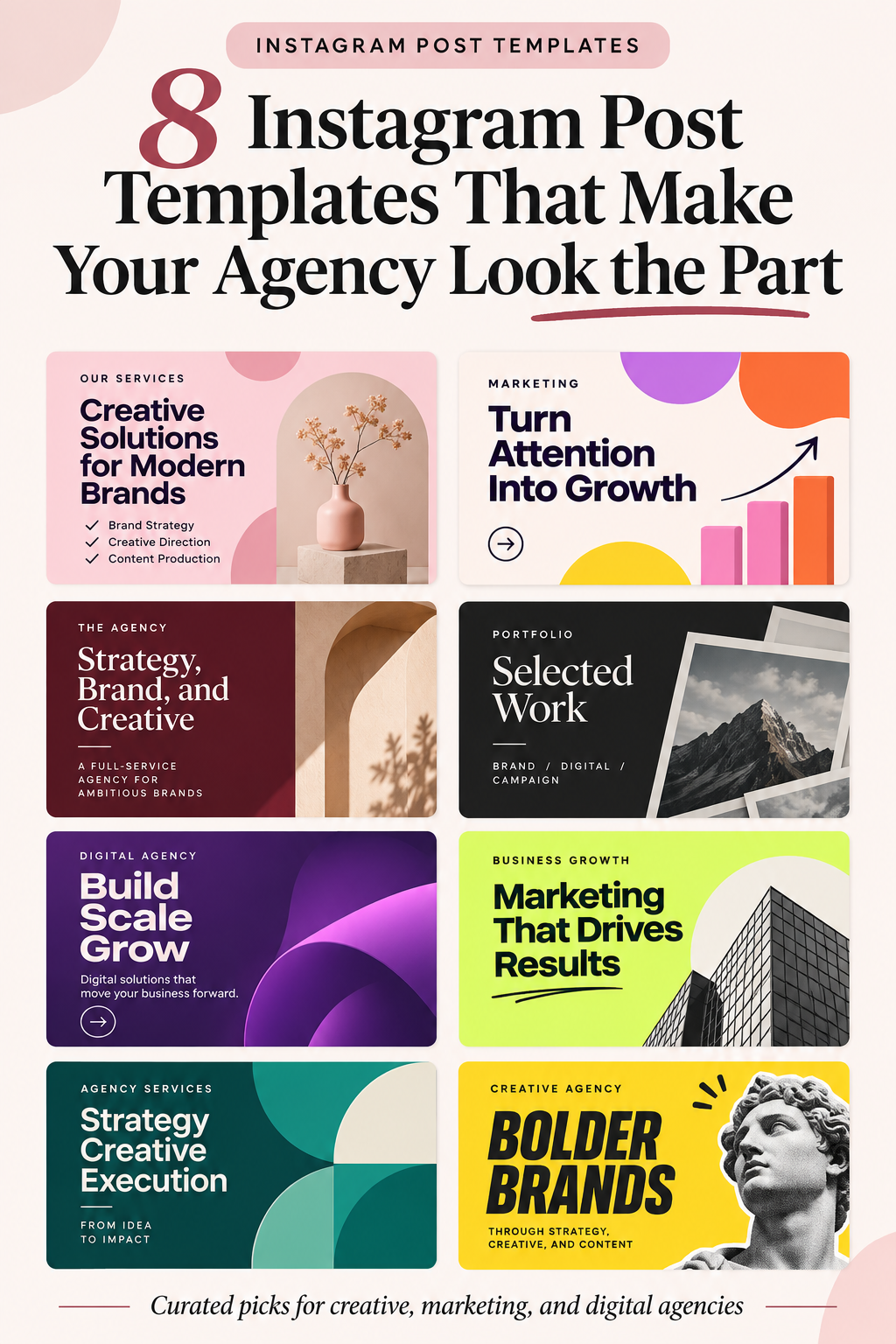
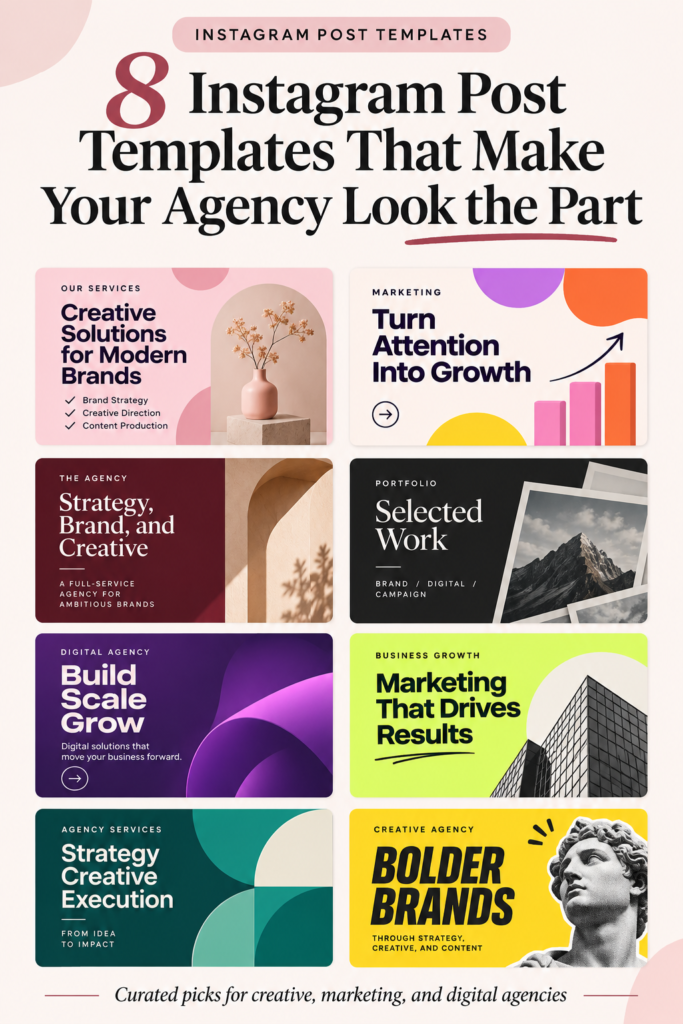
I’ve brought together eight Instagram post templates for agencies, from bold, attention-grabbing designs to more refined, editorial layouts.
Each offers a different way to present your work, communicate your ideas, and give your brand a recognizable visual identity. Whether you’re building a new agency profile or refreshing an existing one, start with the Quick Picks below to find a style that feels right for your business.
Quick Picks: Find the Right Look for Your Agency
Short on time? Start with what you want your agency’s Instagram to communicate.
- Showcase Services & Pricing: Creative Agency Social Media Templates
- Promote Services & Events: 50 Marketing Agency Posts
- Build a Credible First Impression: Creative Agency – Instagram Post
- Present Your Portfolio & Case Studies: Oblique Portfolio Instagram Post
- Create a Bold, Digital-First Presence: Digital Agency – Instagram Post
- Lead With Business Solutions: Business Agency – Instagram Post
- Look Professional Yet Approachable: Creative Business Agency Instagram Post
- Make Your Ideas Stand Out: Bold Yellow Agency Instagram Post
1. Creative Agency Social Media Templates
Turn Your Agency Feed Into a Clear Showcase of Services and Pricing

Pink-and-peach backgrounds and punchy black typography give this collection the personality of a creative studio that knows how to make a statement.
For independent brand strategists and small agencies, that means an Instagram feed where potential clients can quickly understand what you offer and how you work.
Introduce a new service in one post, present your pricing tiers in another, then share a verified campaign result or explain your creative process.


The set contains 10 editable Instagram templates at 1080 × 1350 pixels, with Canva, AI, EPS, and PSD files and organized layers for updating text, colors, and photos.
This gives you room to build a recognizable series of service announcements, pricing posts, and business updates without creating every layout from scratch.
The demonstration photos are placeholders, and background images aren’t included, so you’ll need to supply your own visuals.
2. 50 Marketing Agency Posts
Turn Your Agency’s Services, Offers, and Events Into Eye-Catching Instagram Posts
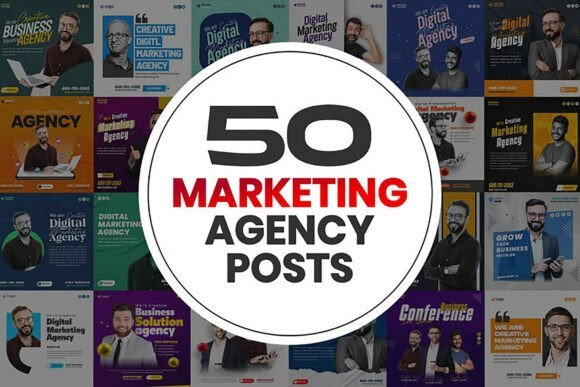
Some agencies need a feed that can handle Monday’s service promotion and Friday’s event announcement without a design marathon in between.
This bundle gives marketing teams, social media managers, and consultants layouts for agency introductions, promotional offers, and business events, with bold headlines and high-contrast compositions that put each message upfront.
Replace the sample content with your latest consulting package, event details, or service announcement, and you’ve got a practical way to keep your audience informed about what your business is doing.

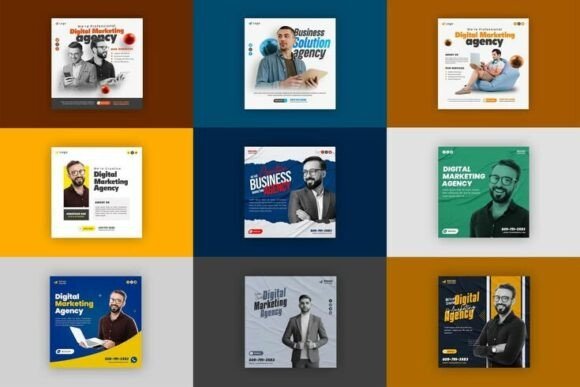
With 50 square Instagram templates at 1080 × 1080 pixels, there’s plenty of material to build into a regular posting schedule.
The package contains editable PSD files with organized layers for changing text, imagery, and colors, and the designs use free fonts. If Photoshop is already part of your workflow, you can tailor these posts to your branding without rebuilding every promotion from scratch.
3. Creative Agency – Instagram Post
Make Your Agency’s Value Clear Before Clients Reach Out
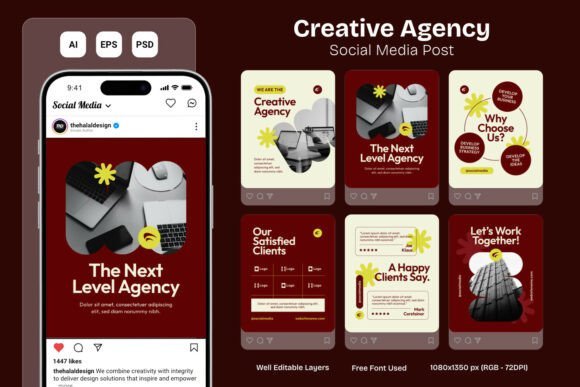
There’s a confident, creative personality to this maroon-and-cream design, especially with those bright yellow accents bringing important messages into focus.
It gives a branding studio room to introduce its team, explain what makes its approach different, and share genuine client feedback without looking overly corporate.
I’d choose this style for a small creative agency that wants visitors to get a sense of its personality and capabilities before they ever send an inquiry.


The layouts come in editable PSD, AI, and EPS formats at 1080 × 1350 pixels (RGB, 72 DPI), along with a TXT information file.
Organized layers and a free font make it easier to add your branding, update the messaging, and incorporate approved testimonials while keeping everything visually connected. You’ll need your own photography, as the demonstration images and mockups aren’t included.
4. Oblique Portfolio Instagram Post
Let Your Work Speak for Itself

Good creative projects can lose their story when they’re scattered across unrelated Instagram posts.
With its dark espresso tones, warm neutral accents, and editorial serif headlines, Oblique gives branding studios and independent designers a more considered way to present their work.
You could introduce a completed identity project, walk through the thinking behind it, and follow up with a verified result or a genuine client quote, giving potential clients a clearer sense of your creative process.


For this kind of storytelling, you get 10 editable portrait layouts at 1080 × 1350 pixels in AI, EPS, and PSD formats.
Organized layers simplify updates to text, colors, and graphic elements, so your case studies and studio introductions can share a consistent editorial style. Sample and background photographs aren’t included, but using real images from your own projects will make the portfolio feel much more personal.
5. Digital Agency – Instagram Post
Give Your Agency a Confident, Digital-First Presence

Deep purple isn’t trying to be discreet here — and that’s the point.
Paired with bold white headlines, electric-blue accents, and contemporary office photography, it gives a digital agency a distinctive, tech-minded personality without sacrificing clarity.
Use these layouts to introduce your service promise, explain how your team approaches a client’s challenge, or show the kind of digital work you want to be known for.


The designs come in editable AI, EPS, and PSD formats at 1080 × 1350 pixels (RGB, 72 DPI), with organized layers for adjusting text, colors, and visual elements.
That makes it easier to replace the sample messaging with your own ideas while keeping the sharp, structured look intact. The package also includes a TXT information file and uses a free font, but the demonstration photos and mockups aren’t supplied.
6. Business Agency – Instagram Post
Make Your Agency Look Ready to Get Things Moving

If your clients struggle with low visibility, inconsistent marketing, or unclear growth plans, your Instagram should show that you understand the problem before pitching a solution.
Lime-green panels and sharp black typography give these posts a lively, action-oriented feel, with electric-blue accents adding a distinctly modern edge.
I particularly like how the layouts let a growth-focused agency move from naming a business challenge to explaining its services, sharing genuine client feedback, and inviting a conversation.


The 1080 × 1350 pixel designs (RGB, 72 DPI) come in editable PSD, AI, and EPS formats, plus a TXT information file.
Organized layers let you update service lists, headlines, and colors while keeping a recognizable look across different messages. The designs use a free font, and you’ll need to add your own photography because the demonstration images and mockups aren’t included.
7. Creative Business Agency Instagram Post
Give Your Agency a Polished Look That Still Feels Personal

Professional doesn’t have to mean distant.
Clean teal shapes and generous white space keep this agency design organized, while warm orange accents and rounded team photos give it a more human touch.
That balance makes sense for a small creative studio or consultant who wants potential clients to see a capable team that’s also easy to approach.


The design is fully editable at 1080 × 1350 pixels (300 DPI), with organized layers for changing text, colors, and images.
You can adapt its geometric style to introduce a colleague, explain a service, or announce a new project, helping different messages feel connected without making every post identical.
The product listing doesn’t specify file formats, so it’s worth checking compatibility with your preferred editing software before choosing it.
8. Bold Yellow Agency Instagram Post
End the List With a Design That Knows How to Be Heard
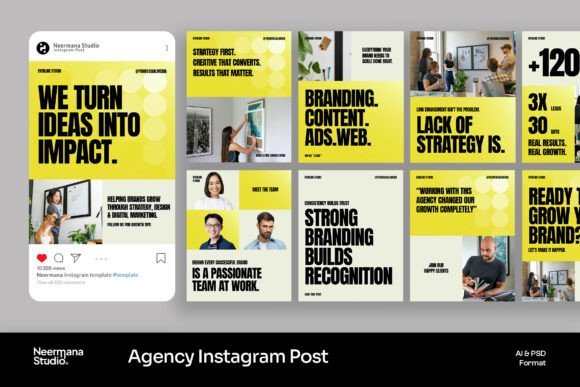
The final design in this roundup doesn’t slip quietly out the door.
Bright yellow panels and oversized black headlines turn strategy statements, client stories, and agency achievements into messages that feel deliberate rather than decorative.
Neutral backgrounds and photographs of people at work balance the visual energy, making this a compelling style for creative teams with a clear point of view.


The collection includes 9 editable Instagram templates at 1080 × 1350 pixels (72 DPI), supplied in AI, EPS, and PSD formats with smart object photo placeholders and free fonts used in the designs.
This gives you room to bring in your own project photography, real client stories, and verified results while keeping the punchy presentation intact.
Sample photos aren’t included, so the credibility behind those big headlines still has to come from your actual work.
With eight different styles to choose from, you might find yourself liking more than one.
But a design that catches your eye isn’t always the one that fits your agency best. The real question is whether it suits your brand’s personality, the content you share, and the way you work.
Here are three simple things to consider before making your choice.
How to Choose Instagram Post Templates for Agencies
Match the Design to Your Agency’s Personality
Before choosing a template, think about how you want potential clients to see your agency.
Bold colors and oversized headlines can give your brand an energetic, outspoken personality, while softer tones and restrained typography create a calmer, more refined impression. The right choice isn’t necessarily the most eye-catching design — it’s the one that feels natural for your team and the clients you want to work with.
Think About What You’ll Actually Post
Try a simple three-post test.
Picture your next service announcement, a recent client project, and a post explaining your approach. Can the layouts accommodate all three without squeezing important details into awkward spaces?
Look for designs that give your message room to breathe, keep headlines readable on a phone, and make different types of content feel connected.
Check the Files Before Choosing
A great-looking template won’t help much if you can’t comfortably edit it.
Check whether the package includes files for software you already use, such as Canva, Photoshop (PSD), or Illustrator (AI). Pay attention to dimensions, editable elements, and photo placeholders, too.
Some collections include sample images for demonstration only, so you may need your own photography.
A few minutes checking these details can save you from choosing a design that doesn’t fit your workflow.
Frequently Asked Questions
What should a marketing agency post on Instagram?
Start with the questions your potential clients already ask.
Share practical marketing advice, explain your services, introduce your team, and show how you approach real business challenges.
A useful mix of educational posts, project highlights, and behind-the-scenes content can make your profile more informative than a feed filled entirely with promotions.
What can I post if I don’t have any case studies yet?
You don’t need an impressive client portfolio to start sharing useful content.
Explain your process, break down common marketing mistakes, offer your perspective on a campaign, or show how you would approach a typical client challenge.
Just distinguish examples and hypothetical scenarios from actual client work.
How often should I post on Instagram?
There’s no single posting schedule that works for every agency.
Start with a manageable rhythm, such as two or three quality posts per week, and adjust it based on your capacity and audience response. Having reusable templates can make it easier to maintain that schedule without starting each design from scratch.
How do you keep Instagram carousel posts consistent?
Use the same dimensions, typography, color palette, and spacing throughout the carousel.
You can adapt matching layouts from a template collection or repeat a master layout while changing the content on each slide. Before publishing, review the entire sequence to make sure the slides feel connected and the text remains readable on a phone.
Can I use these templates for client work?
Creative Fabrica’s current commercial licenses generally allow you to use graphics and templates in client projects. However, delivering finished work is different from redistributing the original editable template files, which the licenses restrict.
Check the applicable license terms before sharing source files or creating designs for resale.
Final Thoughts
Your agency’s Instagram should feel like an extension of the work you do, not a collection of posts that happen to look nice. Whether your style is bold and energetic, refined and understated, or somewhere in between, the right templates can help bring your ideas, services, and personality together.
Choose a design you can picture using beyond your next post. Add your own voice, real projects, and the details that make your agency different. That’s when a good-looking template starts to feel like your brand.